Adding Tags to Organize and Manage Templates
New Feature
Product Improvement
Now you can organize your templates with folders by adding tags to them.
12
Folders in template list
It would be great to if I could organize my templates with folders.
Justin
Shipped
0
About adding tags:
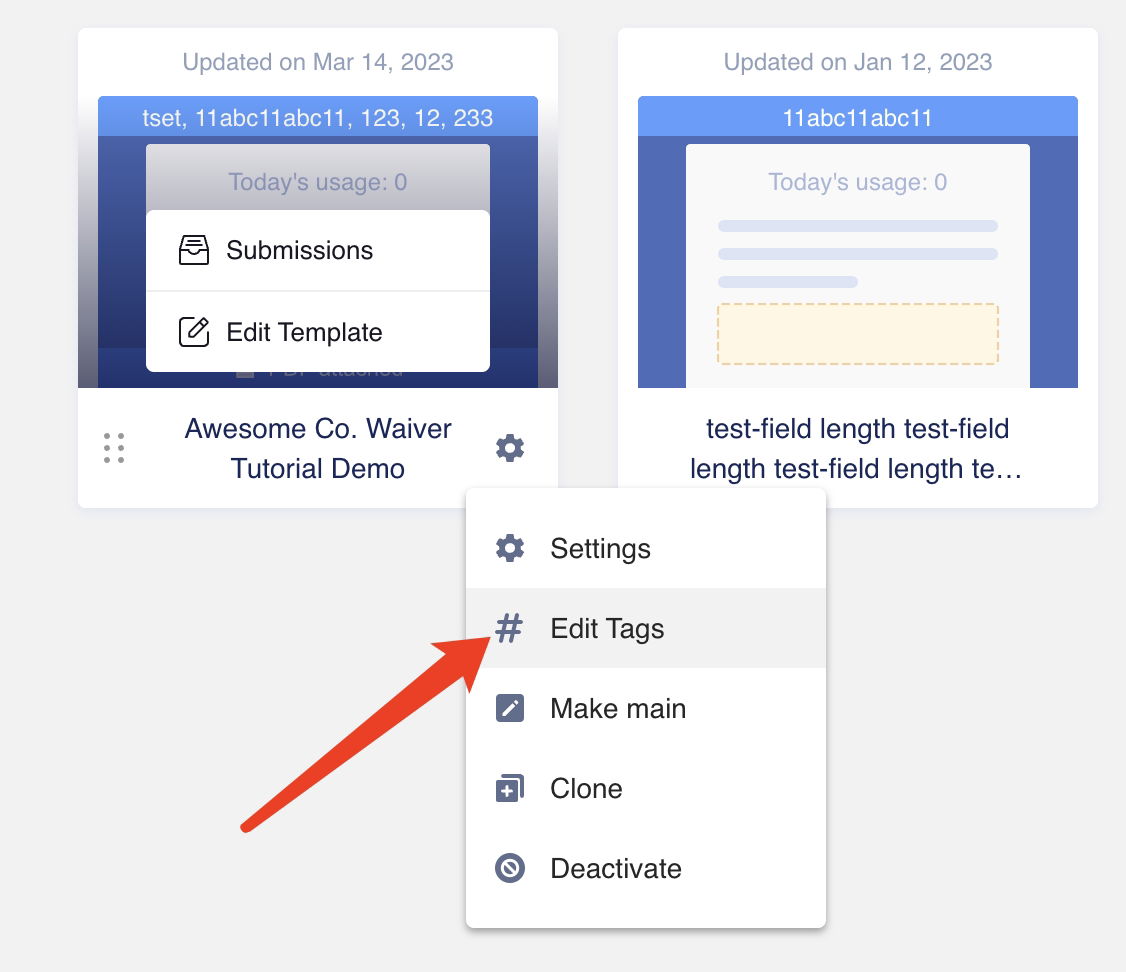
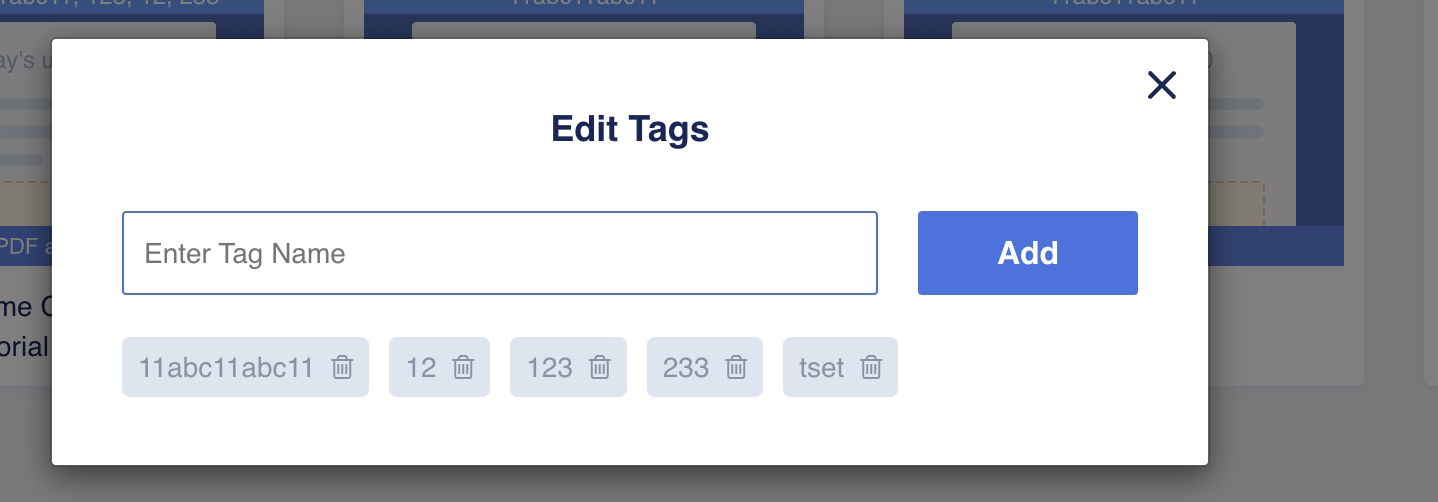
On the Template List page, click on the Settings icon of a template and select "Edit Tags" to add tags to the template.
About the Tag List:
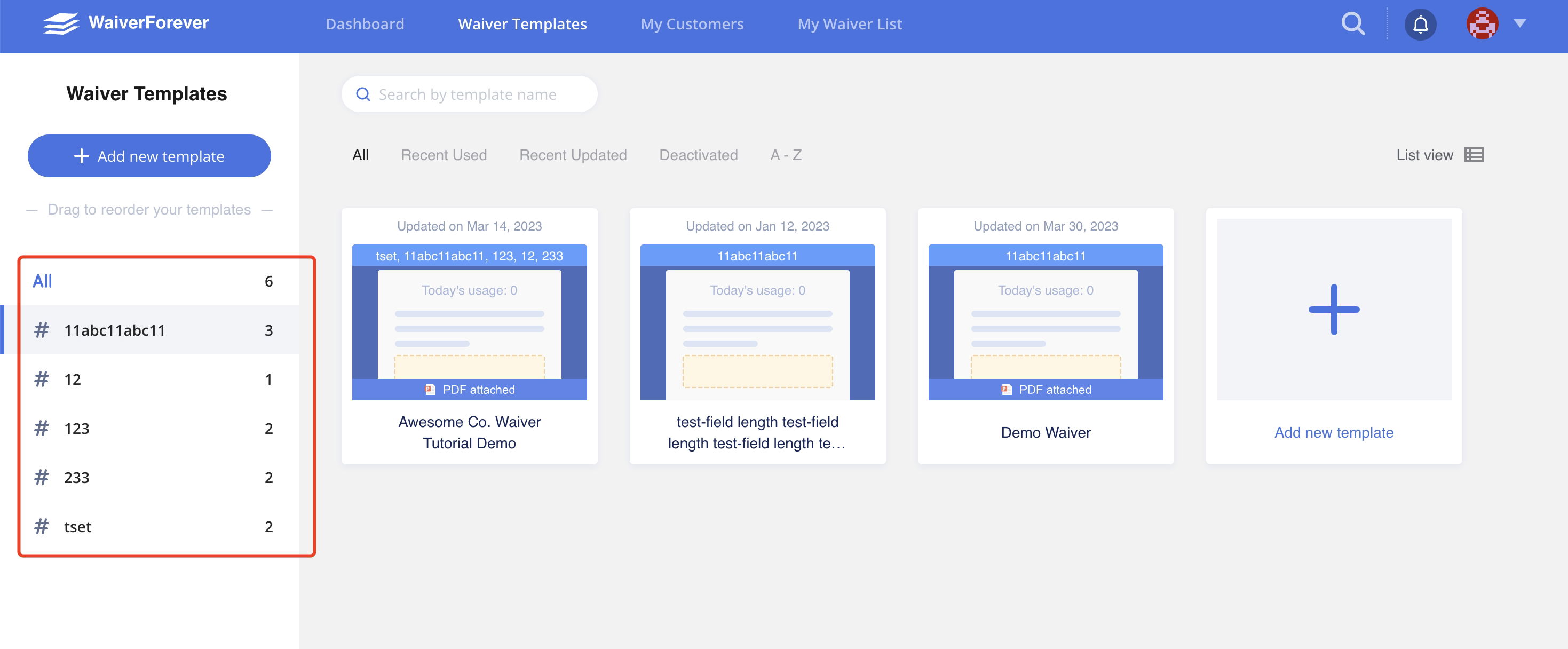
The Tag List is located on the left side of the Template List page and "All" is selected by default.
Click on a specific tag in the Tag List to filter the templates on the right side that have that tag. The "All" option will still be selected by default.
We believe that the Tagging feature will significantly improve the user experience by making it easier to organize and manage forms. Try it out today and let us know what you think!